PDFCreatorpdfforge
|
||||||
About
We are the bridge between paper and the cloud, our seamless PDF workflows help you achieve greater impact with less administration. Edit PDFs within Google Workspace. Open Lumin directly from Gmail, Google Drive, or Google Classroom. Uploading old documents to the cloud has never been easier. Get your team on the same page with real-time feedback and manual tools. Submit work, negotiate terms, and sign everything with Lumin Sign. Enjoy our comprehensive free plan for K-12 teachers and students. Our products are implemented using a rigorous and constantly updated security system. We also have a Google-verified storage system that ensures your files never have to leave Google Drive. Collaborate with your current colleagues and attract new ones with Lumin and Lumin Sign. Our innovative solutions are great on their own, but together they're even better. Lumin reduces the comings and goings of your team. With a cloud workspace integrated with Google, you can collaborate in real-time.
|
About
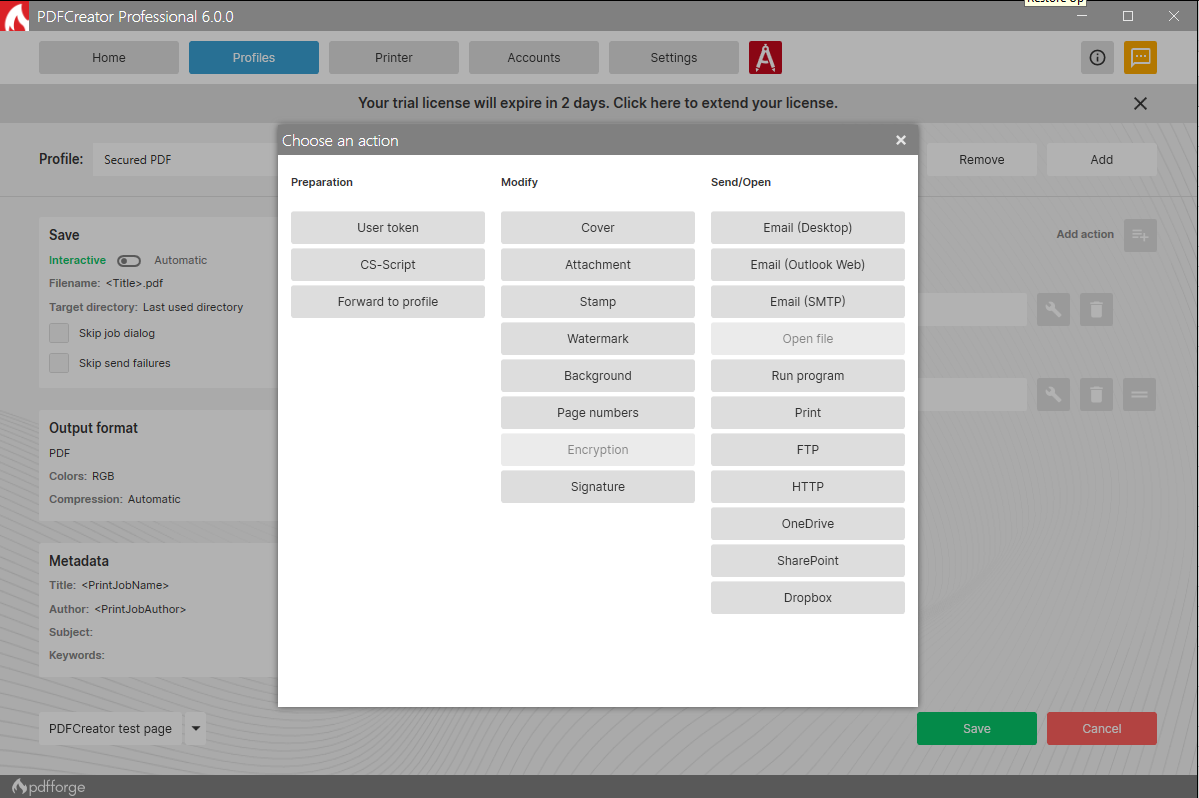
PDFCreator simplifies converting printable documents into high-quality PDFs and other formats like JPG, PNG, and TIF. Easily merge multiple files into one PDF and automate saving with the PDF printer feature. Customizable profiles allow quick access to frequently used settings. Whether for personal or business use, PDFCreator makes PDF conversion seamless and efficient.
Trusted by businesses worldwide, including banks, financial institutions, insurance companies, and healthcare providers, PDFCreator offers a free edition and three advanced business editions. PDFCreator Professional is ideal for standalone workstations, while PDFCreator Terminal Server is designed for Windows Servers with Remote Desktop Services.
New in PDFCreator 6.0.0: features include document previews, a Delete Token for page removal, SharePoint integration, and enhanced error feedback.
|
|||||
Platforms Supported
Windows
Mac
Linux
Cloud
On-Premises
iPhone
iPad
Android
Chromebook
|
Platforms Supported
Windows
Mac
Linux
Cloud
On-Premises
iPhone
iPad
Android
Chromebook
|
|||||
Audience
Teams and individuals interested in a solution to manage and easily edit PDFs anywhere
|
Audience
Anyone who wants to create PDFs: individual users, small/medium/large businesses, IT professionals, and educational institutions seeking a reliable and cost-effective tool for converting and managing documents in PDF format.
|
|||||
Support
Phone Support
24/7 Live Support
Online
|
Support
Phone Support
24/7 Live Support
Online
|
|||||
API
Offers API
|
API
Offers API
|
|||||
Screenshots and Videos |
Screenshots and Videos |
|||||
Pricing
$9 per month
Free Version
Free Trial
|
Pricing
$0
Free Version
Free Trial
|
|||||
Reviews/
|
Reviews/
|
|||||
Training
Documentation
Webinars
Live Online
In Person
|
Training
Documentation
Webinars
Live Online
In Person
|
|||||
Company InformationLumin PDF
Founded: 2014
New Zealand
www.luminpdf.com
|
Company Informationpdfforge
Founded: 2009
Germany
www.pdfforge.org/pdfcreator
|
|||||
Alternatives |
Alternatives |
|||||
|
|
|
|||||
|
|
||||||
|
|
||||||
|
|
|
|||||
Categories |
Categories |
|||||
PDF Features
Annotations
Convert to PDF
Digital Signature
Encryption
Merge / Append
PDF Reader
Watermarking
PDF Editors Features
Access Controls / Permissions
Annotations
Commenting / Notes
Compare Side-by-Side
Customizable Branding
Delete Pages
Electronic Signature
Forms Management
Full Text Search
Merge / Append
Offline Access
Optical Character Recognition (OCR)
Rearrange Pages
Rotate Pages
Watermarking
|
||||||
Integrations
Dropbox
Gmail
Google Classroom
Google Drive
Google Workspace
Lumin Sign
Microsoft Outlook
Thunderbird
|
Integrations
Dropbox
Gmail
Google Classroom
Google Drive
Google Workspace
Lumin Sign
Microsoft Outlook
Thunderbird
|
|||||
|
|