FancyZonesMicrosoft
|
||||||
Related Products
|
||||||
About
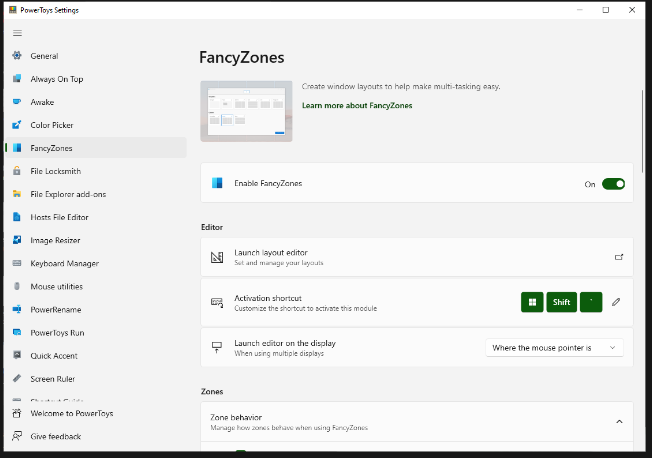
FancyZones is a window manager utility for arranging and snapping windows into efficient layouts to improve the speed of your workflow and restore layouts quickly. FancyZones allows you to define a set of zone locations to be used as targets for Windows on your desktop. When you drag a window into a zone or enter the associated keyboard shortcut, the window is resized and repositioned to fill that zone. You can also trigger zone selection mode by clicking the non-primary mouse button if the "Use non-primary mouse button to toggle zone activation" setting is enabled. If two zones are adjacent, a window can be snapped to the sum of their area (rounded to the minimum rectangle that contains both). When the mouse cursor is near the common edge of two zones, both zones are activated simultaneously, allowing you to drop the window into both zones. You can drag the window until one zone is activated, then press and hold the control key while dragging the window to select multiple zones.
|
About
Do you write, play games, code, illustrate or edit images on your computer? Wouldn’t it be great if you could configure your windows in just the right places, and just the right sizes for each of these roles and then restore them at the click of a button? That’s exactly what SmartWindows let’s you do! Switch between your optimal coding, gaming, writing and other layouts. Save yourself minutes of time and improve your productivity every day with SmartWindows. Not only does SmartWindows save and restore the application positions but it also remembers and opens up the files. All your favorite applications such as Word, Powerpoint, Excel, Project, Notepad and Wordpad are supported. Love the flexibility and freedom afforded when using multiple monitors? No worries. Use multiple displays simultaneously because SmartWindows supports up to 6 monitors for restoring app positions on each display.
|
|||||
Platforms Supported
Windows
Mac
Linux
Cloud
On-Premises
iPhone
iPad
Android
Chromebook
|
Platforms Supported
Windows
Mac
Linux
Cloud
On-Premises
iPhone
iPad
Android
Chromebook
|
|||||
Audience
Anyone searching for a solution to optimize their workflow by improving control over windows and layouts
|
Audience
Productivity software for anyone wanting to arrange their Windows screens
|
|||||
Support
Phone Support
24/7 Live Support
Online
|
Support
Phone Support
24/7 Live Support
Online
|
|||||
API
Offers API
|
API
Offers API
|
|||||
Screenshots and Videos |
Screenshots and Videos |
|||||
Pricing
Free
Free Version
Free Trial
|
Pricing
$39.99 per year
Free Version
Free Trial
|
|||||
Reviews/
|
Reviews/
|
|||||
Training
Documentation
Webinars
Live Online
In Person
|
Training
Documentation
Webinars
Live Online
In Person
|
|||||
Company InformationMicrosoft
United States
learn.microsoft.com/en-us/windows/powertoys/fancyzones
|
Company InformationSmartWindows
Pakistan
smartwindows.app/
|
|||||
Alternatives |
Alternatives |
|||||
|
|
|
|||||
|
|
|
|||||
|
|
|
|||||
|
|
||||||
Categories |
Categories |
|||||
Integrations
Microsoft Excel
Microsoft PowerPoint
Microsoft Project
Microsoft Word
|
Integrations
Microsoft Excel
Microsoft PowerPoint
Microsoft Project
Microsoft Word
|
|||||
|
|
|