AnyDeskAnyDesk Software
|
||||||
Related Products
|
||||||
About
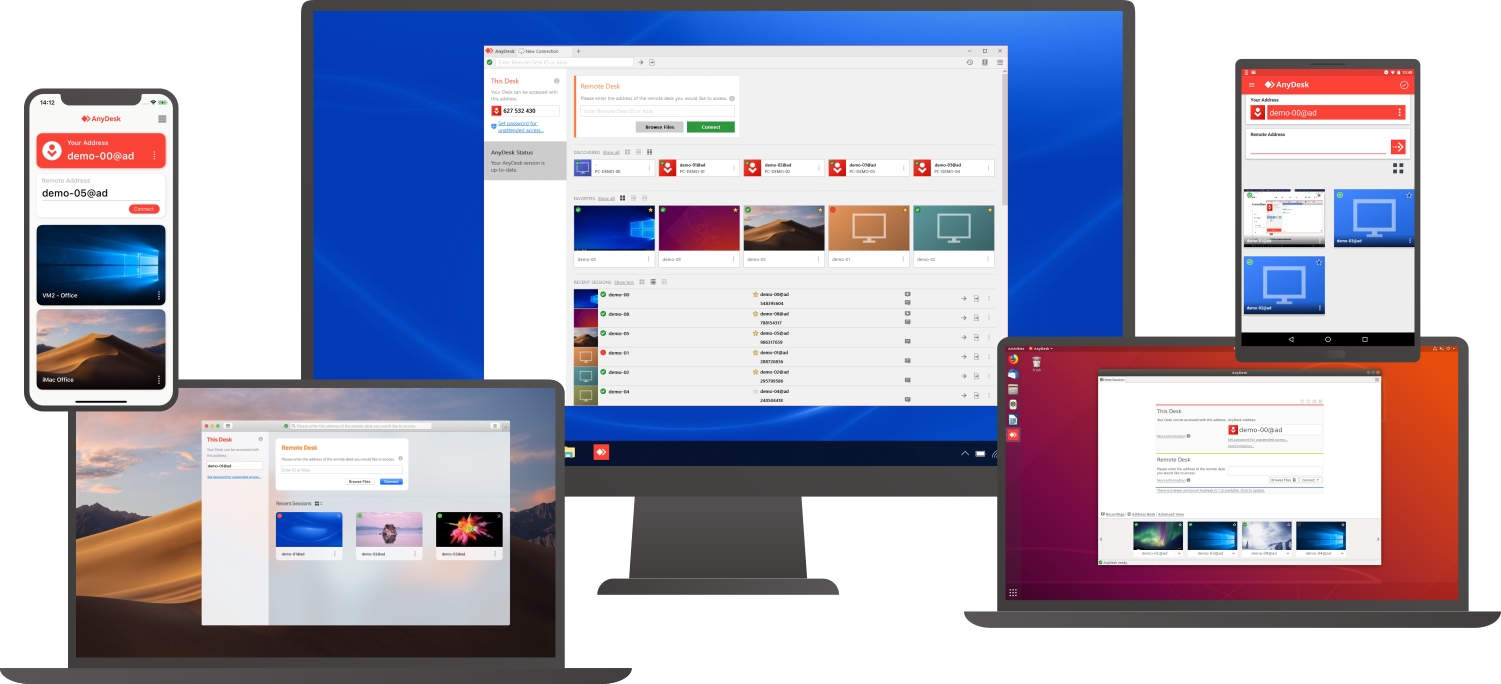
Connect to a computer remotely, be it from the other end of the office or halfway around the world. AnyDesk ensures secure and reliable remote desktop connections for IT professionals and on-the-go individuals alike. AnyDesk works across all your devices and operating systems: Windows, macOS, iOS, Android, Linux, FreeBSD and even your Raspberry Pi! Collaborate and communicate with ease, whether you’re holding online meetings and presentations or working on the same document from the other side of the world. Simply copy and paste or use the new transfer tab to transfer files between computers. No administrative privileges or installation needed. Simply download the 3MB file and you’re off. Require unattended access to your computer when you’re on the road? No problem, you’ll just need to install and set a password. Customize the AnyDesk user interface to give customers a remote desktop experience consistent with your brand.
|
About
Your customer can start a tech support session by downloading a small app or clicking an icon on their desktop. No pre-installation required. You’ll instantly access their computer. Once your remote support sessions ends, you can only gain access when you’re invited. Your clients get the ultimate in privacy and peace of mind. Not around? Customers can open a 12 hour time window during which you can connect and the computer can be left unattended. You can even receive an SMS letting you know that your customer is waiting. Choose your customer from a list and access their computer any time. You’ll need one-time permission from your customer for unattended remote access. Then you can access their computer again and again. Your customer can leave a message, ask to be referred to someone else on your team, or automatically connect when you sign in. View and control your customer’s computer as if you were in front of it.
|
|||||
Platforms Supported
Windows
Mac
Linux
Cloud
On-Premises
iPhone
iPad
Android
Chromebook
|
Platforms Supported
Windows
Mac
Linux
Cloud
On-Premises
iPhone
iPad
Android
Chromebook
|
|||||
Audience
Companies that need a remote support, remote desktop, screen sharing, and presentation tool
|
Audience
Remote Desktop solution for businesses
|
|||||
Support
Phone Support
24/7 Live Support
Online
|
Support
Phone Support
24/7 Live Support
Online
|
|||||
API
Offers API
|
API
Offers API
|
|||||
Screenshots and Videos |
Screenshots and Videos |
|||||
Pricing
$10.99 per month
Free Version
Free Trial
|
Pricing
$29 per user per month
Free Version
Free Trial
|
|||||
Reviews/
|
Reviews/
|
|||||
Training
Documentation
Webinars
Live Online
In Person
|
Training
Documentation
Webinars
Live Online
In Person
|
|||||
Company InformationAnyDesk Software
Founded: 2013
Germany
anydesk.com
|
Company InformationInstant Housecall
Founded: 2005
Canada
www.instanthousecall.com
|
|||||
Alternatives |
Alternatives |
|||||
|
|
|
|||||
|
|
||||||
|
|
||||||
|
|
||||||
Categories |
Categories |
|||||
Remote Desktop Features
Chat
Cross-Platform Access
File Transfer
Group View
Mobile Device Access
Multi Monitor Support
Record Remote Sessions
Remote Print
Remote Wake
User Management
Remote Support Features
Diagnostic Tools
File Transfer
Live Chat
Real-time Chat
Remote Control
Screen Sharing
Session Recording
Session Transfer
Surveys & Feedback
Screen Sharing Features
Annotations / Drawing Tools
Desktop / Browser Sharing
Mobile Screen Sharing
Presenter Control Management
Remote Control
Screen Capture
Screen Mirroring
Screen Recording
|
Remote Support Features
Diagnostic Tools
File Transfer
Live Chat
Real-time Chat
Remote Control
Screen Sharing
Session Recording
Session Transfer
Surveys & Feedback
|
|||||
Integrations
Atera
Coronium
Devolutions Remote Desktop Manager
Halo Service Desk
HaloCRM
HaloITSM
HaloPSA
StoreApp
Truto
XEOX
|
Integrations
Atera
Coronium
Devolutions Remote Desktop Manager
Halo Service Desk
HaloCRM
HaloITSM
HaloPSA
StoreApp
Truto
XEOX
|
|||||
|
|
|