
 Download
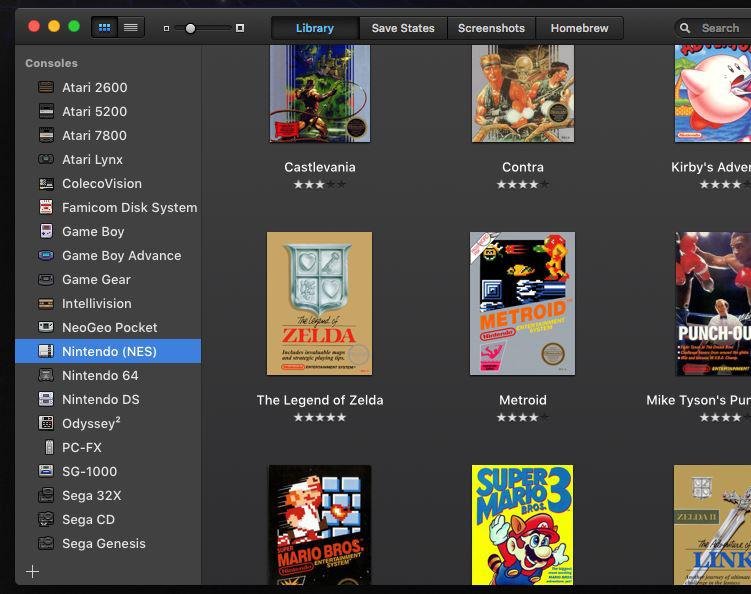
OpenEmu is a polished, open-source video game emulator designed specifically for macOS, bringing a true “it just works” experience to retro gaming. It makes it incredibly easy to add, browse, and organize your personal game backups (ROMs) within a single, unified library. OpenEmu automatically scans games as you drag and drop them, neatly sorting them by system and adding original box art for a clean, visual experience. The emulator works seamlessly with a wide range of USB and Bluetooth game controllers, offering automatic button mapping for popular devices. Built on a modular core system, OpenEmu combines many of the best emulation projects to support dozens of classic consoles. With its sleek macOS-native interface and simple setup, OpenEmu transforms retro gaming into an intuitive and enjoyable experience.
Features
- Watch as you drop in backups of your games (ROMs) & they are gracefully added to their appropriate library along with original box art!
- Drag n’ Drop a backup game (ROM) from your Mac desktop
- OpenEmu 'scans' your game and begins the organisation process
- Your game is now neatly organised and you are ready to start playing!
- One of the standout features of OpenEmu is how it organizes all your games into one unique, unified games library
- Any generic HID compliant USB or Bluetooth game controller should work with OpenEmu out of the box
Project Samples

Follow OpenEmu
User Reviews
-
Great work!!
-
Using the SNES emulators: -iMac Core2Duo ATi graphics --graphically smooth can use 2x 4xHQ etc. -MacBook 1st Gen CoreDuo Intel gma 950 --bsnes suffers from jerkiness, not the case with the standalone version --snes9x lots of visual tearing, fixed by disabling quartz extreme using quartz debug. Don't know if related to open emu as expose etc has been choppy since upgrade to snow leopard and 10.6.3 has made no difference.

