Download
Hover over any piece of code; if an underline appears, you can press Ctrl to get a tooltip with function/class signature, module documentation or any other piece of information that the language server provides. Critical errors have red underline, warnings are orange, etc. Hover over the underlined code to see a more detailed message. Use the context menu entry, or Alt + 🖱️ to jump to definitions/references (you can change it to Ctrl/⌘ in settings); use Alt + o to jump back. Place your cursor on a variable, function, etc and all the usages will be highlighted. When a kernel is available the suggestions from the kernel (such as keys of a dict and columns of a DataFrame) are merged with the suggestions from the Language Server (in notebook). If the kernel is too slow to respond promptly only the Language Server suggestions will be shown (default threshold: 0.6s). You can configure the completer to not attempt to fetch the kernel completions if the kernel is busy.
Features
- Examples show Python code, but most features also work in R, bash, typescript, and many other languages
- Critical errors have red underline, warnings are orange, etc. Hover over the underlined code to see a more detailed message
- Hover over any piece of code; if an underline appears, you can press Ctrl to get a tooltip with function/class signature, module documentation or any other piece of information that the language server provides
- Automatic Completion and Continuous Hinting
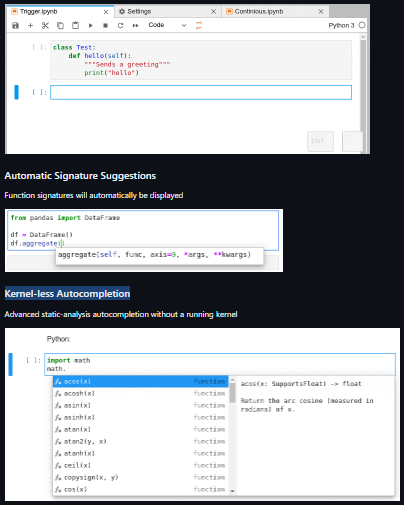
- Automatic Signature Suggestions
- Kernel-less Autocompletion
Project Samples