

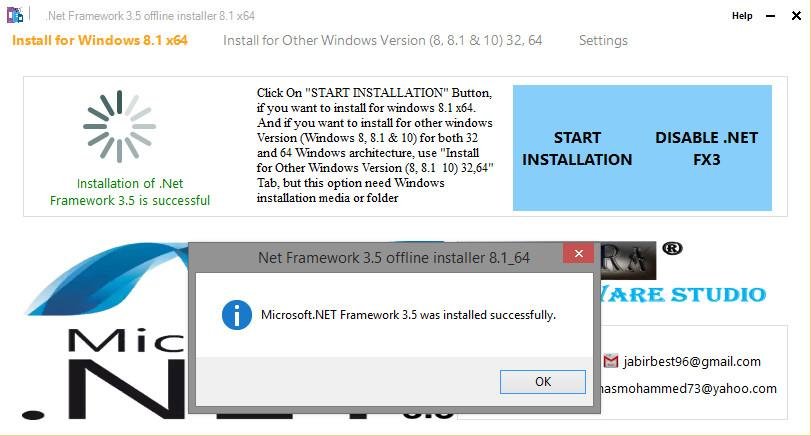
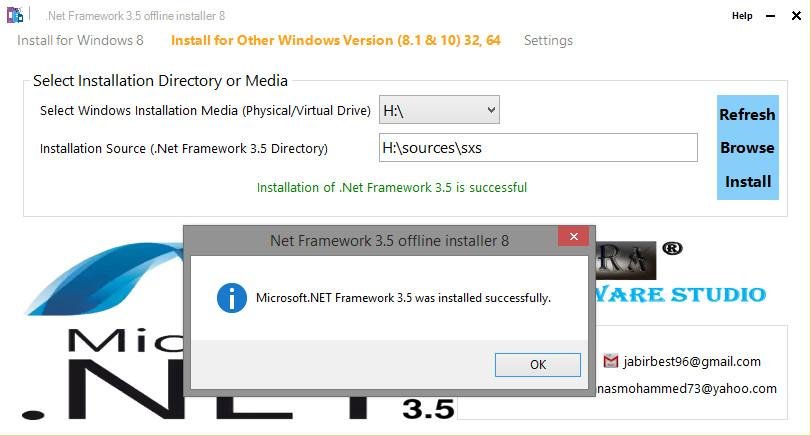
Windows 8, and above version comes with version 4.x.x of .NET Framework. But if the user is upgrading from Windows 7 to Windows 8, .NET Framework 3.5 is fully enabled. Most of the existing software require version 3.5 of .NET Framework installed to be able to run. When you try to install an app that requires .NET Framework 3.5 on these latest Windows it asks to connect to Internet inorder to download required installation files.its difficult to download if user's internet speed is low. if the user has Windows installation media he simply install .netfx3. Both 2 above methods have their own limitation. if the user does not have internet connection from the system which need .ntfx3 and if the user does not have Windows installation media, this app helps them to install .netfx3 offline without any installation media. and internet. it saves internet bandwith & time when downloading windows installation files. and also it has the feature to install .netfx3 from windows installation media.
Features
- Install .Net Framework 3.5 on windows 8, 8.1 and 10 without any installation media and internet connection
- Uninstall .Net Framework 3.5
- You can customize installation Process
Project Samples



Categories
FrameworksUser Reviews
-
Nice app, thanks for the great work. I would only suggest adding a progress bar to see that the installation is progressing, as at one point I thought it got frozen, perhaps because I had other apps open consuming system resources.
-
just great thank you team
-
Handy utility, works like a charm on Win10Pro, with a well thought out interface. Works on every build version of Win10 that I used thru 2004. This is so much faster than a manual install using the MS KB updates!
-
Great! I was struggling to install .netframework in my PC (Win8.1). This software is good for Win10 , 8.1 etc. However, the methods are different between Win10 and 8.1.
-
Thanks a million. I did install it and it works on Windows 10 Pro.

