
 Download
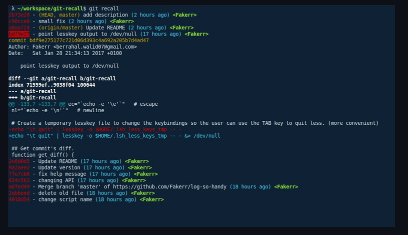
An interactive way to peruse your git history from the terminal. git-recall is a simple tool that allows you to easily go through your commits and check what you or other contributors in your team did. It doesn't aim to be a replacement for the git log command, but just to be a convenient way to recall what you've done from your terminal. You can install it by simply copying the git-recall script into any existing path (e.g. /usr/local/bin) or create your own directory and add it to the PATH variable. Once the commits are displayed, you can use either the arrow keys or j/k to switch between commits, press TAB or e to expand/reduce the commit's diff or q to quit.
Features
- Restrict search for a specific user (use -a "all" for all users)
- Display commits for the last n days
- Specify branch to display commits from
- Specify path/s or file/s to display commits from
- You can install it by simply copying the git-recall script into any existing path
- For a better UX, it's recommended to have installed the lesskey program
Project Samples
Categories
GitLicense
MIT LicenseFollow git-recall
Other Useful Business Software
Our Free Plans just got better! | Auth0
You asked, we delivered! Auth0 is excited to expand our Free and Paid plans to include more options so you can focus on building, deploying, and scaling applications without having to worry about your security. Auth0 now, thank yourself later.
Rate This Project
Login To Rate This Project
User Reviews
Be the first to post a review of git-recall!
