Download
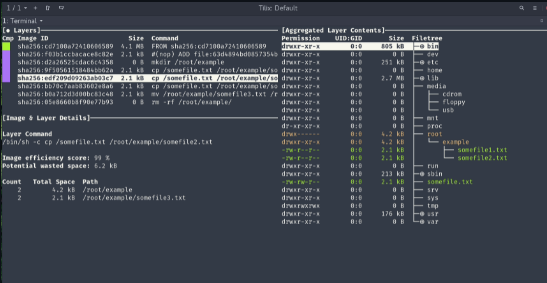
A tool for exploring a docker image, layer contents, and discovering ways to shrink the size of your Docker/OCI image. As you select a layer on the left, you are shown the contents of that layer combined with all previous layers on the right. Also, you can fully explore the file tree with the arrow keys. Files that have changed, been modified, added, or removed are indicated in the file tree. This can be adjusted to show changes for a specific layer, or aggregated changes up to this layer. The lower left pane shows basic layer info and an experimental metric that will guess how much wasted space your image contains. This might be from duplicating files across layers, moving files across layers, or not fully removing files. Both a percentage "score" and total wasted file space is provided. You can build a Docker image and do an immediate analysis with one command: dive build -t some-tag .
Features
- Analyze a Docker image simply run dive with an image tag/id/digest
- Build your image then jump straight into analyzing it
- Ensure you're keeping wasted space to a minimum
- This is beta quality!
- Show Docker image contents broken down by layer
- Indicate what's changed in each layer
Project Samples